
Revocal › Reverse your voice
How to reverse your voice on iPhone
The iPhone's built-in Voice Memos app can trim and speed up a recording, but it can't play one backwards. To reverse your voice you need an app. Here is how to do it with Revocal, for sound on its own or for video.
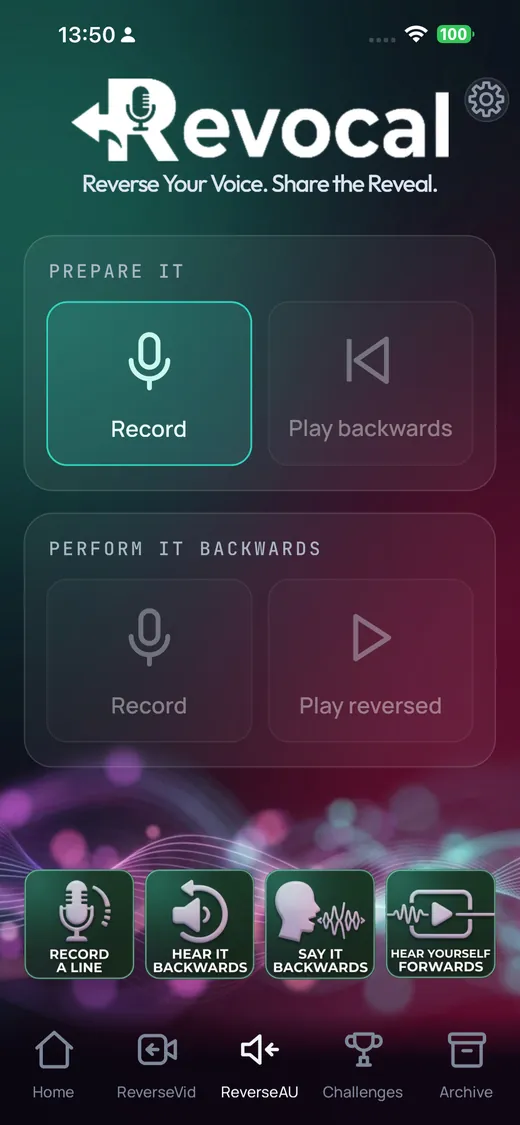
Reverse a voice recording
Use the ReverseAU tab in Revocal:
- Record a line. Tap Record and say anything, up to ten seconds.
- Hear it backwards. Tap Play backwards to hear your voice in reverse.
- Say it backwards. Record yourself copying the backwards version.
- Hear yourself forwards. Tap Play reversed. If you copied it well, your original line comes back.
Everything happens on the phone. There is no account and nothing is uploaded.
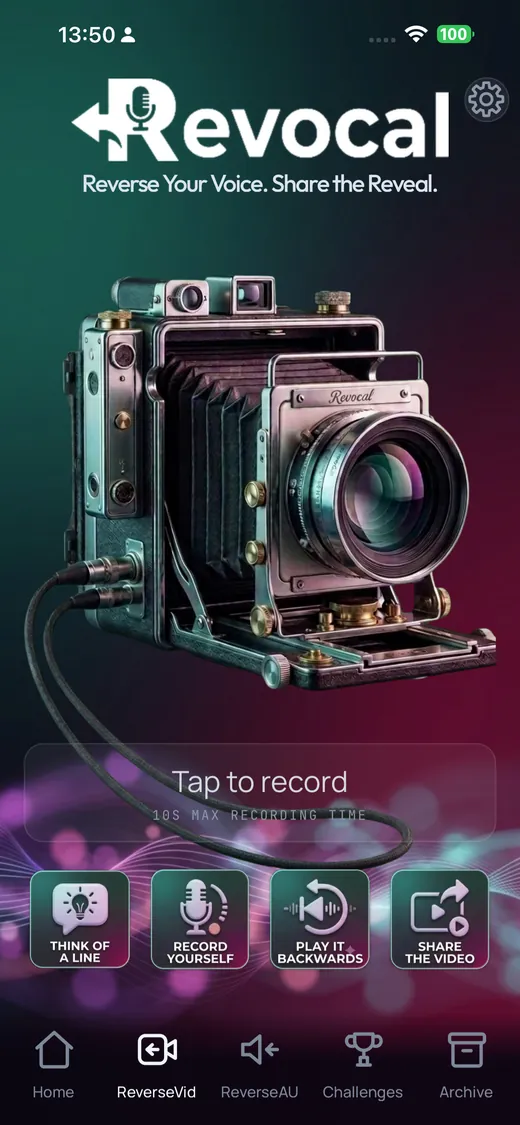
Reverse a video of yourself
Use the ReverseVid tab. Tap to record, say or do something, and the clip comes back reversed, picture and sound together. Share it straight from the app to TikTok, Reels, WhatsApp or anywhere else, and let people work out what you said.
For the full reverse singing challenge, where you learn the backwards version and film a reveal, see the challenge guide.
Why your voice sounds so strange backwards
- Consonants come out inside out. A t or p normally stops the air and then releases it. Reversed, the release comes first, a sound human speech never makes.
- Words swell instead of fading. Speech trails off at the end of a phrase. Backwards, every phrase grows out of silence.
- The room echo arrives early. The faint echo after each word now plays before it, like a ghostly lead-in.
- Vowels glide the wrong way. "I" usually slides from "ah" to "ee". Backwards it slides from "ee" to "ah".
Things to try
- Your name backwards. Record it, reverse it, and try to say the reversed version so it plays back as your name.
- A written palindrome. "Racecar" reads the same both ways but doesn't sound the same reversed, because the letters and the sounds don't line up.
- A secret message. Record a line backwards and send the reversed clip. Only someone who reverses it again can hear what you said.
- Talking backwards for real. Learn to say a phrase backwards so it plays forwards: how to talk backwards.
Questions
Can Voice Memos play audio backwards?
No. Voice Memos on iPhone can trim, enhance and change playback speed, but it has no reverse option. You need an app such as Revocal.
Does reversing my voice upload it anywhere?
Not with Revocal. Recording and reversing happen on your iPhone, with no account and no upload.
How long can a reversed recording be?
ReverseAU recordings are up to ten seconds each. For video, free recordings are up to ten seconds and Revocal Pro removes the limit.
Try it with Revocal
Revocal flips any line, plays it back slowed down until you can copy it, then films one take and plays you back forwards. Free on iPhone.